Some organizations don't want their Team Members to see anything beyond the day's check-in — no Hub, no history, no Plans or Skills, no Reports. The Team Member - Recorder is a role built for exactly that. A Team Member can log in, report Friction for the day, say where they worked, and nothing else.
For more information on Friction and the check-in screen in general, please check this article out.
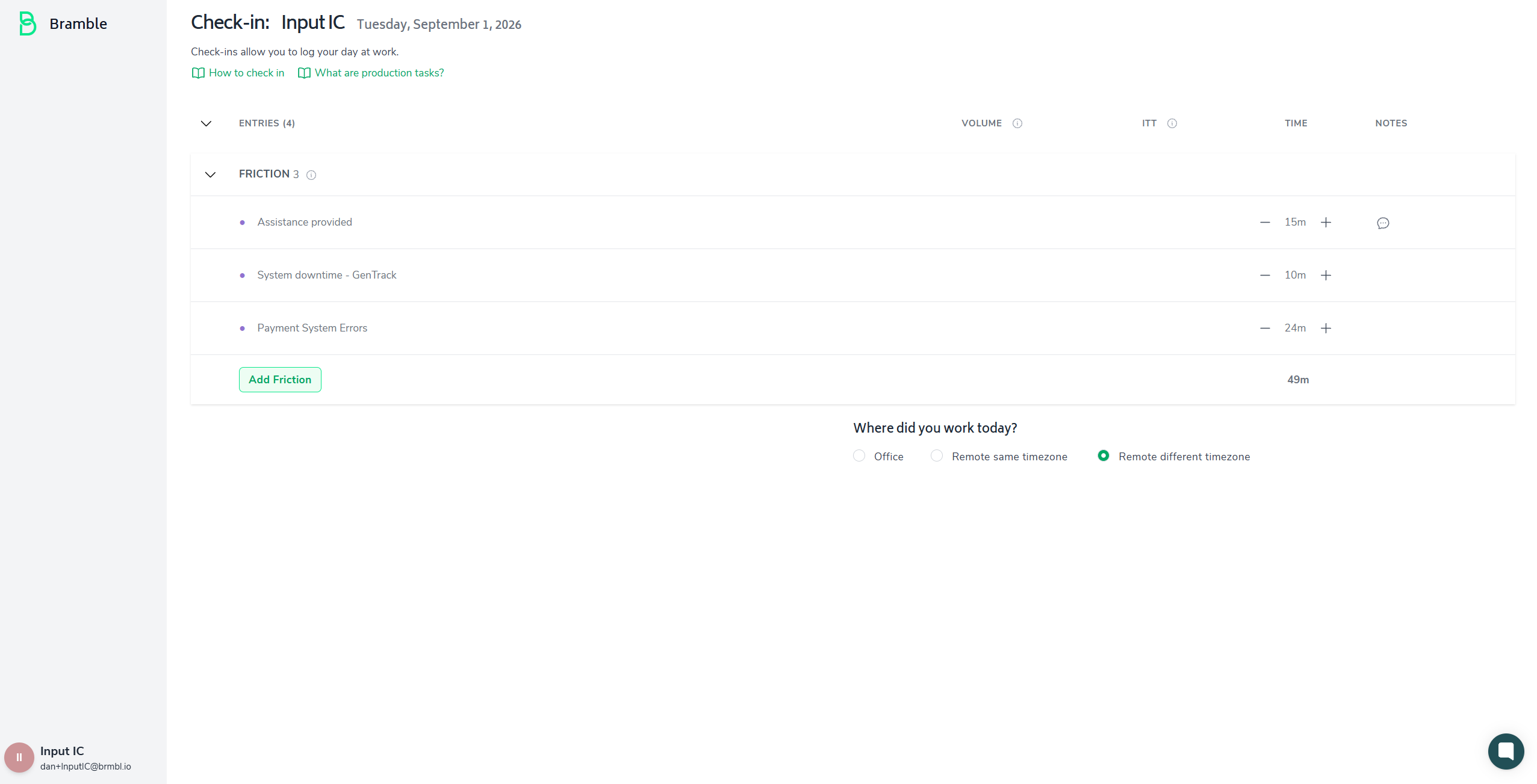
Login works exactly as it does for every other role — work email and password, or SSO. From there, a Recorder is taken straight to today's check-in. There's no Hub, no landing page, and no sidebar navigation at all: the left-hand menu (Hub, Check-Ins, Plans, Skills, Reports) is hidden entirely, not just grayed out. Only the Bramble logo and the account avatar (for logout) remain.
If today's check-in doesn't exist yet, the Recorder sees the usual empty state and clicks Check-in to create it. If one already exists for today — for example, it was created earlier via an API import — they land directly on it with any existing entries visible.
Once today's check-in exists, exactly two things are editable:
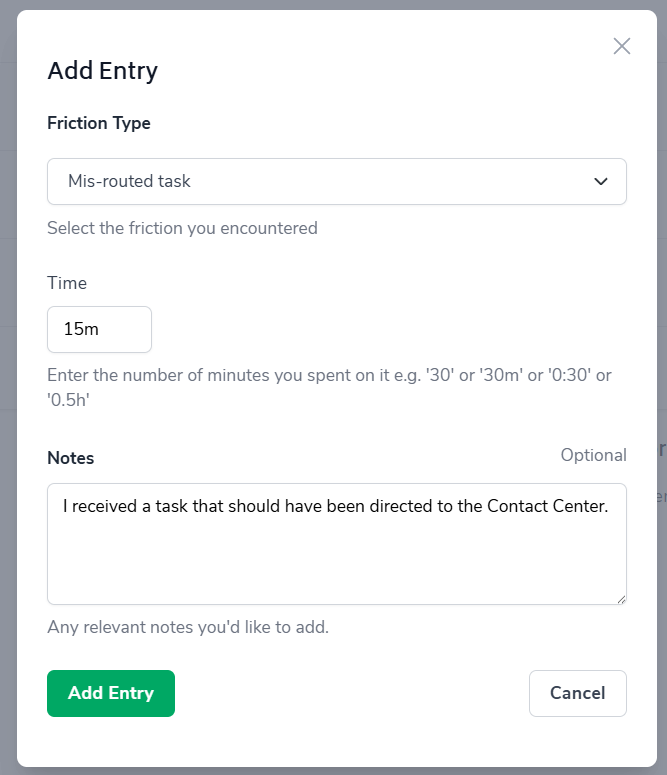
Friction. The Add Friction button opens the same Add Entry modal every role uses — Friction Type, Time, and Notes. The Friction Type dropdown pulls from your organization's existing list of types; a Recorder chooses from that list but can't create or edit the types themselves. After an entry is added, a Recorder can adjust its time with the +/− stepper, or edit or delete the entry entirely using the same menu other roles use.
Where did you work today? The Office / Remote (same timezone) / Remote (different timezone) selector. This stays optional, exactly as it is for every other role.

Everything else on the check-in screen is hidden or disabled for this role:
Production Tasks and Supporting Tasks ("Add Task")
Available Time (Base Time, Add Leave, Add Overtime)
Copy to Today
Date navigation — back/forward arrows, the calendar picker, and the "Today" button
Deleting a check-in (the trash icon)
A Recorder is locked to today's check-in only and can't view or edit any other day. If they try to reach a page outside this scope directly by URL — Hub, Reports, Plans, Skills, check-in history, or a past date — they're redirected back to today's check-in rather than seeing an error or any underlying data.
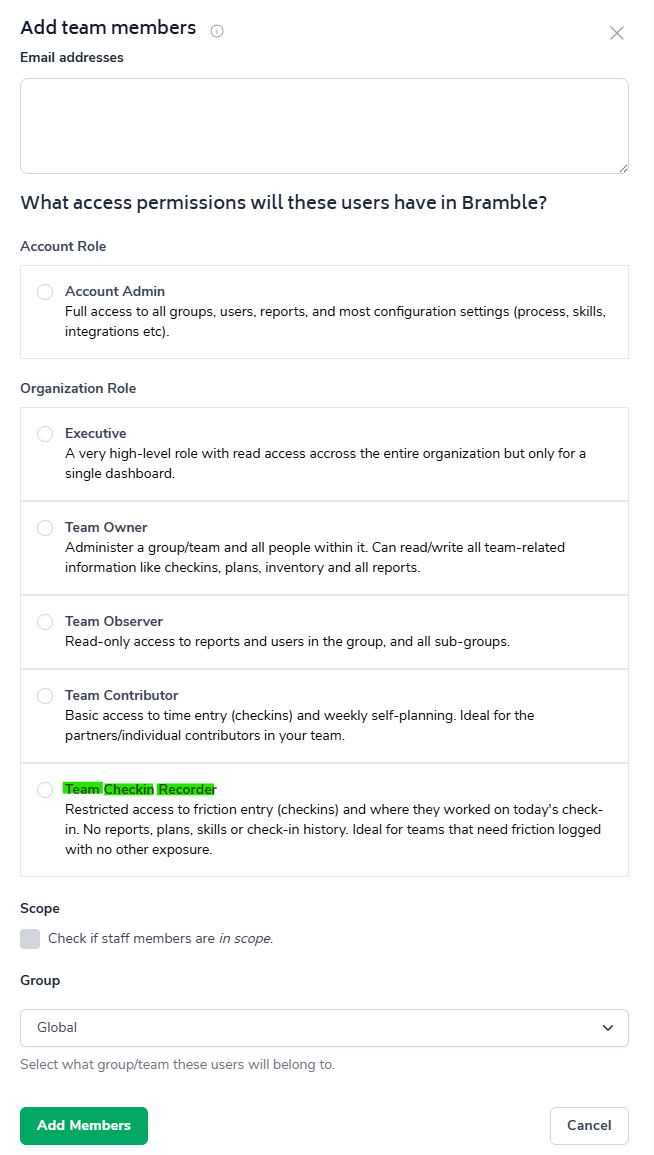
The role is granted from the People page the same way any other role is, by an Account Admin or Team Owner. It's a distinct role from Individual Contributor rather than a variant of it, so switching someone to Recorder replaces their existing role rather than adding a restriction on top of it.
By default, Friction is the only section enabled for Recorders. If your organization also wants Recorders to be able to log Production Tasks, Supporting Tasks, or Available Time, reach out to your Bramble contact — those sections can be turned on per account.
The Recorder experience described here is for the desktop check-in screen. If your team primarily checks in from a phone or tablet, talk to your Bramble contact to confirm mobile behavior for this role before rolling it out broadly.